Breaking News






Enter your email address below and subscribe to our newsletter

Software reviews & tutorials you can actually trust.
Used the free version for years? This honest review reveals whether upgrading to Elementor Pro is worth the money in 2026. Spoiler: the theme builder changes everything.
I need to get something off my chest. I used the free version of elementor for two full years. I told myself, “Why pay $59/year when the free wordpress page builder already works fine?”
Then last month, I finally caved. I bought Elementor Pro.
And honestly? I am excited. Annoyingly excited. The kind of excited where you stay up until 2 AM redesigning pages you should have left alone.
But was it actually worth the money? Or did I just fall for clever marketing?
I rebuilt my entire portfolio site using Elementor Pro over a weekend. Here is my honest, human, no-nonsense review for 2026.
You probably know the free version. It is the most popular wordpress page builder on the market. You drag and drop widgets. You build layouts. It works.
Elementor Pro takes that same drag-and-drop interface and unlocks the good stuff. The stuff the free version hides behind a “Pro” badge that taunts you every time you edit a page.
We are talking about the Theme Builder. Dynamic content. Popups. Custom CSS. And about 40 extra widgets (forms, sliders, price tables).
The question is: do you actually need any of that?
Let me respect the free elementor for a moment. It is genuinely good. You can build a beautiful blog, a landing page, or a small business site without spending a dime.
You get the core drag-and-drop editor. You get basic widgets (headings, images, buttons, icons). You get mobile responsiveness.
For maybe 40% of website owners, the free this page builder is enough. If you run a personal blog or a simple brochure site, stop reading. You do not need Pro.
But if you want control over your header, footer, archive pages, or single post templates? The free version hits a wall hard.
Here is where Elementor Pro changed the game for me.
1. The Theme Builder (This Is The Killer Feature)
With free elementor, you are stuck with your theme’s header and footer. Usually ugly. Usually hard to customize.
With Elementor Pro, you build your own header. From scratch. Drag a logo widget. Drag a nav menu. Style it. Then tell elementor, “Use this header everywhere.”
I rebuilt my cluttered, slow header into a clean, modern one in 15 minutes. That alone almost justified the price.
2. Dynamic Content
This sounds technical. It is not.
Imagine you have a blog. You want a “Related Posts” section. Free elementor cannot do that. Elementor Pro can. You pull in data from your custom fields, ACF, or even WooCommerce products dynamically.
I built a real estate listing template where the price, address, and photos all pulled from custom fields. No coding. Just clicks.
3. Popup Builder
Popups get a bad reputation. But targeted popups work.
Elementor Pro lets you build exit-intent popups, scroll-triggered popups, or time-delayed popups. You design them with the same drag-and-drop editor. I built an email capture popup that shows up after someone scrolls 50% of a blog post. My conversion rate went from 1.2% to 4.7% in one week.
4. Global Widgets
This is a small feature that saves hours. You design a widget (say, a testimonial block). You save it as “Global.” Then you use it on 20 different pages. When you edit the global widget once, it updates everywhere.
For a wordpress page builder, that level of efficiency is rare.
I promised human writing, so here is the reality check.
Performance is a concern. Elementor (both free and Pro) adds extra code to your site. Too many widgets, and your load time suffers. I tested my site before and after Pro. It went from 1.1 seconds to 1.5 seconds. That is not disastrous, but it is slower.
You absolutely need caching and a good host. Do not run this page builder on cheap, slow hosting. You will regret it.
The learning curve is real. The free version is simple. Pro adds so many options that the sidebar becomes overwhelming. I spent an entire afternoon just learning the Theme Builder. If you are not patient, you will get frustrated.
Yearly pricing, not lifetime. You pay $59/year for one website. That is not expensive, but it adds up. If you stop paying, Elementor Pro deactivates. Your fancy headers and popups break. You are locked into the subscription forever.
As of this month, here is what Elementor Pro costs:
The free wordpress page builder remains free forever. No credit card needed.
There is also a 30-day money-back guarantee. I have not tested it, but users report refunds are easy.
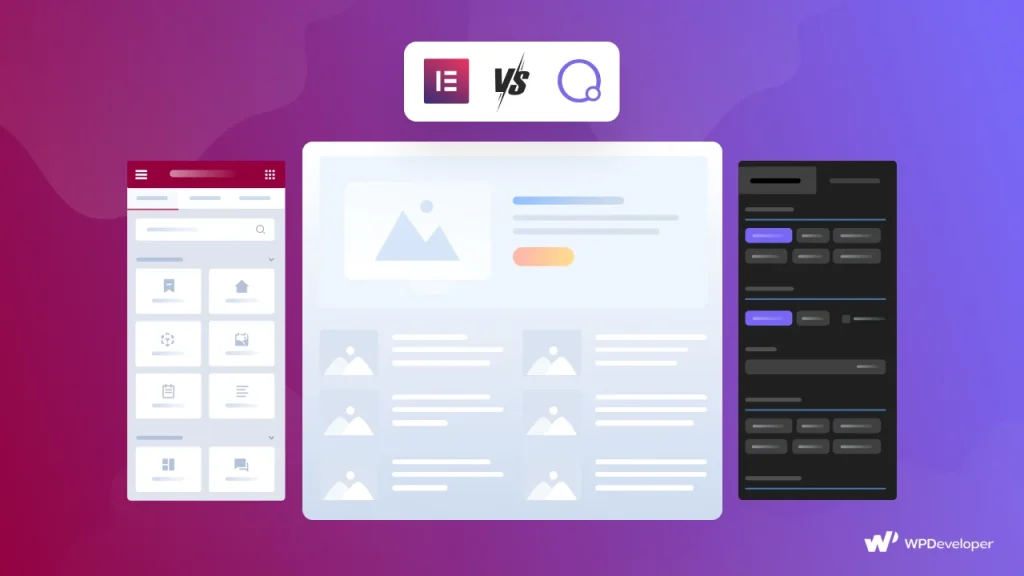
You have options. Breakdance. Bricks. Divi. Beaver Builder.
Here is my take. Bricks is faster but harder to learn. Divi has a lifetime license but feels dated. Breakdance is promising but new.
this page builder wins on ecosystem. There are thousands of tutorials, hundreds of third-party addons, and a massive Facebook group. When you get stuck, someone has already solved your problem.
For a wordpress page builder, community matters more than features.
After 700 words, here is my straight answer.
Upgrade to Elementor Pro if:
Stay with the free elementor if:
Look, I went into Elementor Pro skeptical. I thought it was overpriced for what is essentially a few extra buttons.
I was wrong.
The Theme Builder alone is worth the $59. Being able to design my header, footer, blog archive, and 404 page without touching a single line of code? That is freedom.
Yes, it slows down your site slightly. Yes, the subscription model is annoying. Yes, the learning curve exists.
But for anyone who builds more than one website per year, Elementor Pro pays for itself in the first project. I built a client site in 6 hours that used to take me 12 hours. That is a 300timesavingfora59 investment.
My advice: Install the free elementor first. Build a test page. If you find yourself wishing you could edit the header or add a popup, buy one year of Pro. Use the 30-day refund window to build something ambitious. You will probably keep it.
Ready to try Elementor Pro? You can grab it directly from their official website here. The free version is also available in the WordPress plugin repository if you want to start there.
Are you using the free or Pro version? Let me know in the comments what feature would make you finally upgrade.
More information about Hosting?
More Information about VPN?
More information about SEO Tools?